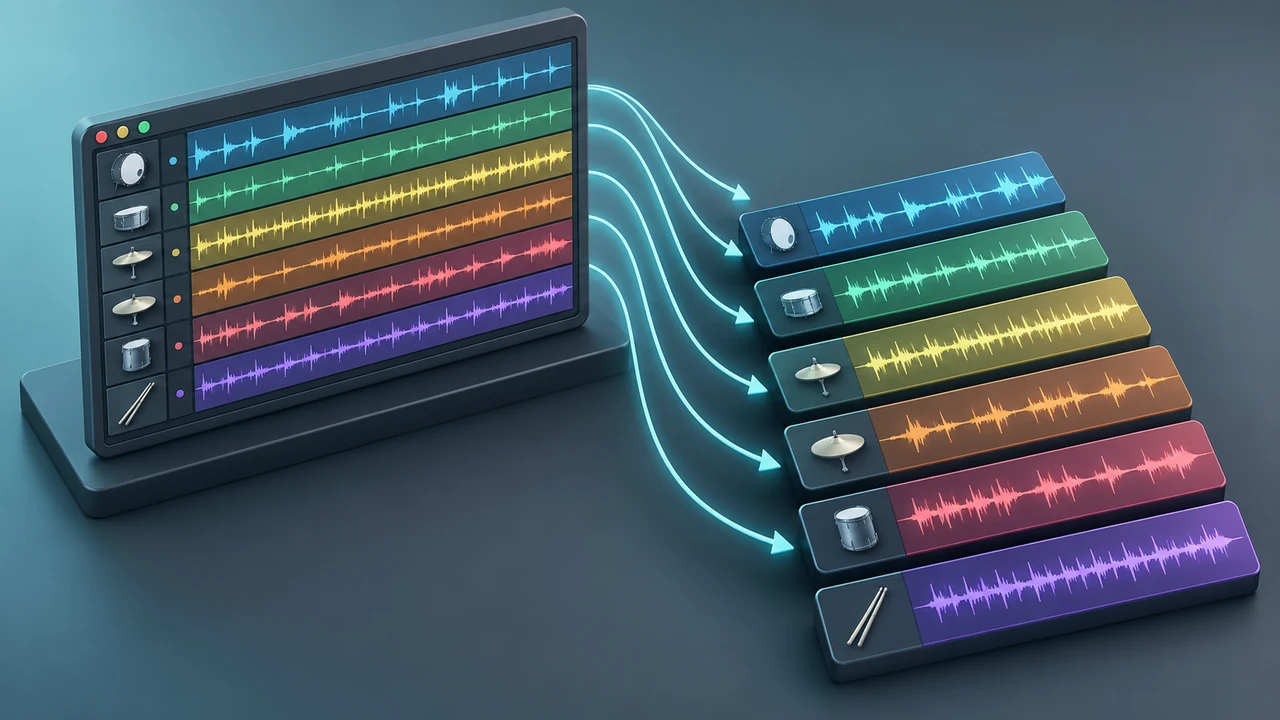
Reliable drum stems start with routing. Every sound that should become a separate file needs a known Mixer path, and every exported file should begin at the same timeline position so the recipient can align them instantly.
Before export, decide whether the deliverable needs dry individual drums, processed group stems, or both. Do not label a file “dry” if it includes bus processing, and do not remove effect tails that are part of the arrangement.
The short answer
Reliable drum stems start with routing. Every sound that should become a separate file needs a known Mixer path, and every exported file should begin at the same timeline position so the recipient can align them instantly.
Before export, decide whether the deliverable needs dry individual drums, processed group stems, or both. Do not label a file “dry” if it includes bus processing, and do not remove effect tails that are part of the arrangement.
What matters before you start
Agree on the deliverable
Individual one-shots, grouped drums and full wet effects serve different workflows.
Use a shared start point
Silence at the beginning is useful when it guarantees sample-accurate alignment.
Verify outside the project
An export is not finished until the files have been reimported and checked.
A practical workflow
- 1. Clean the routing
Solo each Mixer insert and confirm it contains only the intended source.
- 2. Name every stem
Use short, unambiguous filenames with song, role and version information.
- 3. Set the export range
Include the entire arrangement plus enough time for delays, reverbs and cymbal tails.
- 4. Choose a lossless format
Use the bit depth and sample rate requested by the collaborator; avoid lossy files for production stems.
- 5. Export consistently
Use the same settings and start point for every file, including grouped or wet versions.
- 6. Reimport and null-check by ear
Load the exports into a blank project, align them at zero and compare the combined result with the original mix.
Common problems and how to fix them
Cutting reverb tails at the last bar
Extend the range beyond the final event.
Exporting muted routing dependencies
Sidechain triggers, sends or buses can disappear when the source path is disabled.
Sending unlabeled duplicate versions
Clear version names prevent the engineer from mixing the wrong set.
A focused practice exercise
Export kick, snare, hats, percussion, 808 and a processed drum-bus print from a short project. Rebuild the balance in a new session and document anything that failed to translate.
How to make the decisions in context
How to Export Drum Stems in FL Studio Without Missing Sounds is easier to apply when every move answers a musical problem. Before changing anything, play the relevant section from a few bars before the change to a few bars after it. That longer window reveals whether the result supports the phrase, transition and energy of the track. A choice that sounds impressive in a short solo loop can still weaken the full arrangement. Keep the level matched as closely as practical so a louder version does not win by default.
Start with agree on the deliverable. Individual one-shots, grouped drums and full wet effects serve different workflows. Treat that as the control condition for the session. Make one clear change, replay the same passage and write down what improved: timing, separation, impact, movement or speed of use. If the benefit cannot be named or heard consistently, return to the simpler version. This keeps the workflow connected to the primary goal: prepare complete, aligned drum stems for mixing or collaboration.
Next, check use a shared start point. Silence at the beginning is useful when it guarantees sample-accurate alignment. Listen once at the normal working level, once quietly and once with the whole beat playing. Quiet playback is useful for judging hierarchy because the strongest rhythmic roles remain obvious while decorative details recede. Full-context playback shows whether the technique competes with bass, melody, vocals or effects.
Finally, use verify outside the project as the restraint test. An export is not finished until the files have been reimported and checked. Duplicate the pattern, channel or project state before a larger edit so the original remains available for comparison. The point is not to avoid experimentation; it is to make experiments reversible and easy to judge. Commit only when the edited version works in more than one listening context.
This decision process also makes collaboration clearer. Instead of saying a version is simply “better,” describe the function of the change: the backbeat reads sooner, the low end leaves more headroom, the fill announces the next section, or the library is faster to navigate. Functional language helps another producer understand the intention and reproduce the result without copying arbitrary settings.
A second-pass review that catches weak choices
After completing the first workflow, take a short break and begin the review from clean the routing. Solo each Mixer insert and confirm it contains only the intended source. Do not immediately edit while the track is playing. First identify the exact moment where the result stops supporting the music, then make the smallest change that addresses that moment. This prevents a local problem from turning into an unnecessary redesign of the whole pattern or setup.
At the middle of the process, revisit choose a lossless format. Use the bit depth and sample rate requested by the collaborator; avoid lossy files for production stems. Compare the section before and after that step at the same start point. If the technique improves one element but creates a new conflict elsewhere, solve the conflict at its source rather than stacking corrective processing. Fewer deliberate moves are easier to recall, automate and revise later.
The final review should include reimport and null-check by ear. Load the exports into a blank project, align them at zero and compare the combined result with the original mix. Then test the result in at least two arrangement sections. A loop can hide repetition, tail overlap and transitions that only become obvious across a complete phrase. If the article's workflow is organizational rather than sonic, close and reopen the project or preset and confirm that files, names and routing still resolve as expected.
Watch specifically for “Cutting reverb tails at the last bar.” Extend the range beyond the final event. Also check for “Exporting muted routing dependencies.” Sidechain triggers, sends or buses can disappear when the source path is disabled. These are useful failure tests because they focus attention on behavior, not on a screenshot or a fixed plug-in value. If either problem appears, step back to the last version that worked and change one variable at a time.
Save the successful version with a useful name and enough context to understand it later. For a pattern, that can mean tempo and section role; for a rack or template, it can mean instrument purpose and version; for an export, it can mean song, stem role and revision. Clear versioning is part of production technique because it lets you experiment without losing a reliable result.
Session checklist
Use this short order when practicing export drum stems FL Studio. It is a reminder, not a rule: skip a checkpoint only when the track gives you a clear reason.
- Clean the routing
- Name every stem
- Set the export range
- Choose a lossless format
- Export consistently
- Reimport and null-check by ear
Finish by bypassing or comparing the complete change, not just its final component. Confirm that the result still serves the original intent, survives a quiet playback pass and remains understandable when the project is reopened. If it does, stop editing and move to the next musical decision.
Useful next reads
Keep the next session focused with these related DRUMKITS.SHOP guides and resources:
Frequently Asked Questions
Should drum stems peak at a specific level?
Avoid clipping and preserve the intended balance. A fixed peak target is less important than clean, consistent delivery.
Do all stems need the same length?
Usually yes for simple alignment, even when a sound enters later.
Should I include master processing?
Ask the recipient. Common practice is to provide clean stems plus a reference mix that shows the intended sound.
Can MP3 be used for stems?
Use a lossless production format unless the recipient explicitly requests otherwise.
Conclusion
Good stems are boring in the best way: clearly named, aligned, complete and easy to verify. The export checklist matters more than any single render setting.