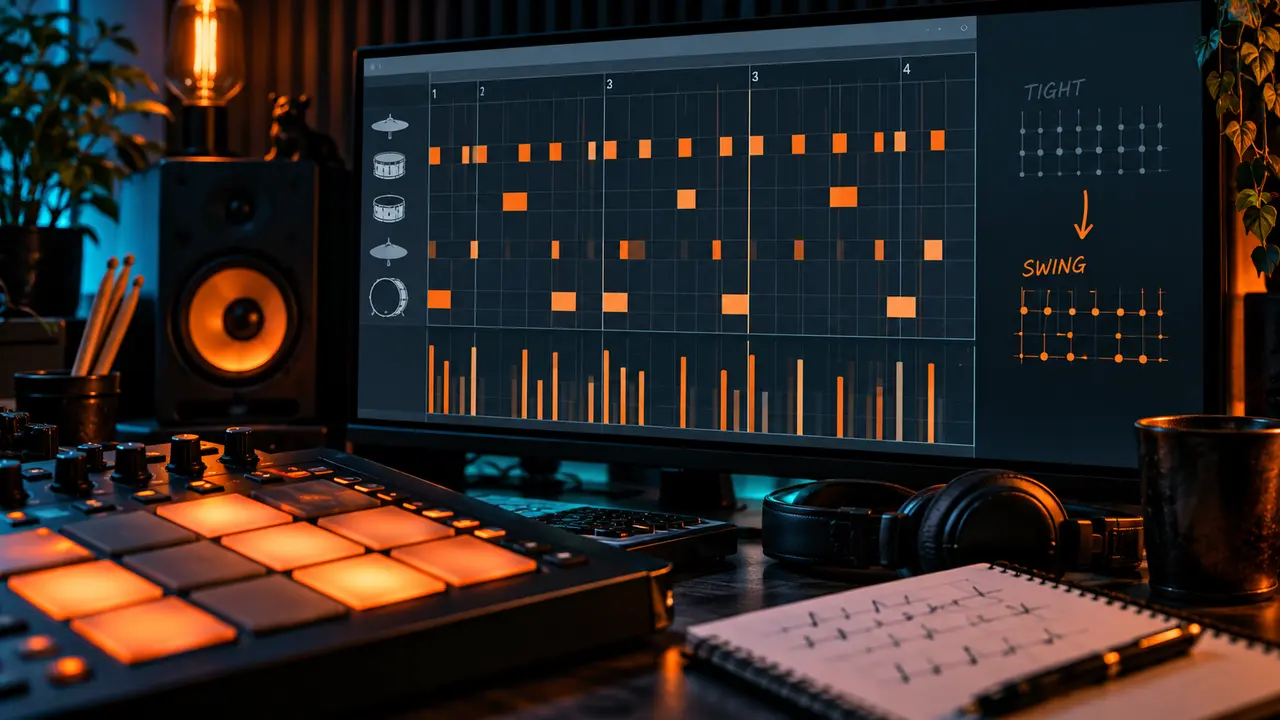
Swing does not mean making every note late. It changes the spacing between selected subdivisions so the groove leans instead of moving in perfectly equal steps. The strongest results usually combine small timing choices with velocity and note length.
Start with one drum family, listen in context, and stop before the rhythm feels unstable.
What swing actually changes
On a straight grid, subdivisions are evenly spaced. Swing delays certain offbeat subdivisions, creating a long-short pulse. The exact feel depends on tempo, pattern and style. A setting that works for shuffled hats may make a busy kick pattern drag.
Swing is only one source of groove. A pattern can stay close to the grid and still feel human through accents, ghost notes, sound length and intentional placement.
Build a solid straight pattern first
Program the main kick and snare so the rhythm works without swing. These anchor hits tell the listener where the beat sits. If the basic pattern is unclear, global swing will not rescue it.
Use a simple closed hat pattern to test movement. For boom bap or hip hop practice material, browse the Boom Bap Drum Kits and the public Hip Hop Drum Kit. Choose a short hat whose transient makes small timing changes easy to hear.
Use FL Studio swing as a starting point
FL Studio's Channel Rack has a global swing control that affects compatible step-sequenced channels. Raise it slowly while a short loop plays. Listen to the relationship between the hats and backbeat, not the percentage by itself.
If only some sounds should move, use per-channel swing control or edit selected notes in Piano Roll instead of shifting the whole pattern. Keep important kicks and snares intentional. Save a copy before making timing changes so the straight version remains easy to compare.
Move selected notes, not the whole beat
A few manual shifts can feel more natural than one global setting. Move selected offbeat hats slightly later, then try one percussion note just ahead of or behind the grid. Tiny changes are enough; large moves can sound like mistakes.
Zoom in, but make the final decision with your eyes away from the grid. If you only notice the groove because you can see the offset, the change may not matter. If the snare begins to feel late, return it to the anchor position and move supporting notes instead.
Shape the groove with velocity
Alternate hat velocities to create a clear strong-weak pattern. Lower notes around the snare so the backbeat has room. For repeated percussion, use a few deliberate accents rather than random values on every hit.
FL Studio users can edit velocity in the Piano Roll lower control area. Ableton Live offers MIDI note velocity editing, while Logic Pro provides velocity control in the Piano Roll. Some one-shots simply become quieter; multisampled instruments may also change tone.
Use hi-hat length and sample choice
Two hats on the same grid can feel different because of their attack and tail. A loose hat can make the pattern lean back; a short bright hat can feel urgent. Change the sample or envelope before moving every note.
Mix closed and open hats carefully. Shorten an open hat that covers the next snare, and use rolls as accents rather than constant decoration. Groove depends on the silence between hits as much as the hits themselves.
Add ghost notes with a clear purpose
A ghost note is a quiet supporting hit that connects stronger accents. Try a low-velocity snare before the main backbeat or a soft percussion note after it. The note should be felt as movement, not compete as another lead drum.
Choose a softer sample or filter the ghost note if lowering velocity alone still sounds too direct. Keep the number small. One well-placed ghost can create more motion than a full row of extra hits.
Ableton Live and Logic Pro alternatives
In Ableton Live, Groove Pool can apply timing and velocity characteristics to MIDI or audio clips. Start with low timing influence and commit only after listening to the full loop. You can also move individual MIDI notes manually.
In Logic Pro, use region quantization and swing choices in the Region Inspector or adjust notes directly in Piano Roll. Keep the original region available for comparison. The tool names differ, but the useful test is identical: does the pocket improve without weakening the anchors?
Listen instead of chasing a swing percentage
Percentages do not transfer perfectly between patterns, tempos or DAWs. A sparse 84 BPM boom bap groove can tolerate more uneven spacing than a dense fast hat pattern. Judge the result at the song tempo.
Three-loop comparison
- Export or duplicate the straight version.
- Create a lightly swung version.
- Create a stronger version, then reduce it until the beat settles.
- Compare without watching the grid.
- Keep the smallest change that creates the desired pocket.
For more genre context, read Best Boom Bap Drum Kits & Samples for Producers.
Conclusion
Good swing keeps the main rhythm clear while supporting notes create pull. Build a straight pocket first, move only what needs movement, and use velocity, hat length and ghost notes alongside timing. Your ears should choose the groove—not a percentage on the screen.
Before saving the pattern, listen from the start of the arrangement rather than looping the busiest two bars. A groove that feels exciting for ten seconds may become tiring across a full verse. Reduce the movement if it distracts from the melody or vocal pocket.